

The Mercari import listing tool allows sellers to bring existing listings from eBay, Poshmark, and Depop into Mercari without recreating each listing manually. Mercari pulls information from the original listing and creates a draft, but the imported listing is independent, so sellers still need to review, publish, update, and eventually delist it themselves.
Main Takeaways
- Mercari currently supports listing imports from eBay, Poshmark, and Depop
- Mercari’s cross-listing import feature is available on desktop only (not on the Mercari app)
- Imported listings become drafts rather than immediately going live, giving sellers a chance to review the information before publishing.
- Mercari importing does not connect or sync your inventory across marketplaces. Changes made to the original listing do not automatically update the Mercari version.
- Mercari’s tool can save significant time when moving existing inventory onto Mercari, but sellers managing multiple marketplaces still need a system for tracking where every item is listed.
- Crosslisting software like Vendoo adds centralized inventory management, broader marketplace support, and Sale Detection & Auto Delist to reduce the risk of double-selling.
How to Use Mercari’s Import Tool
Mercari built its import feature to make crosslisting easier for sellers who already have inventory listed elsewhere. Instead of manually copying photos, titles, descriptions, and other details into a brand-new Mercari listing, Mercari will import your listings in bulk.
With Mercari, you can import your listings from other marketplaces with just a few clicks.
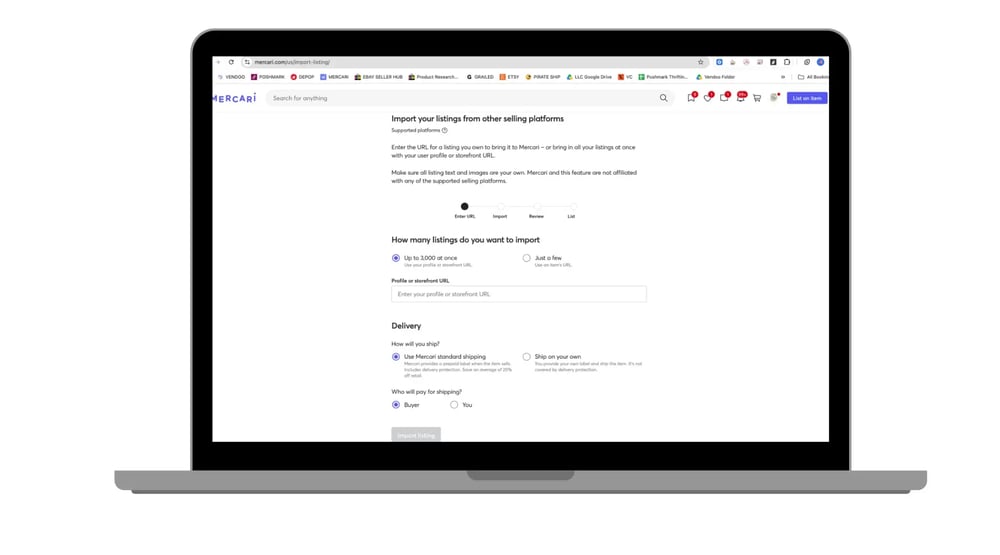
Here is the step-by-step guide to importing with Mercari:
- Visit the Mercari Importing Tool on your computer.
Click here to access the tool. It is only available on the desktop, not the mobile app. - Determine How Many Listings to Import
You can import just a few listings, or import up to 3,000 listings. Mercari currently supports imports from eBay, Poshmark, and Depop.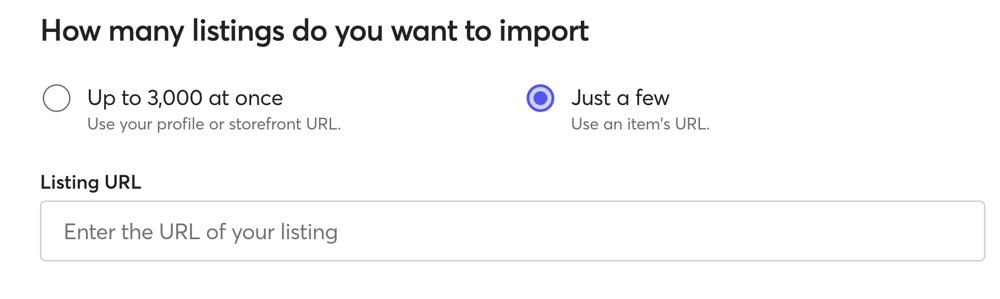
- Paste Links: URLs to Listings or Your Entire Store
For a small quantity of listings, you can use individual listing URLs. To import an entire store, provide the link to your shop.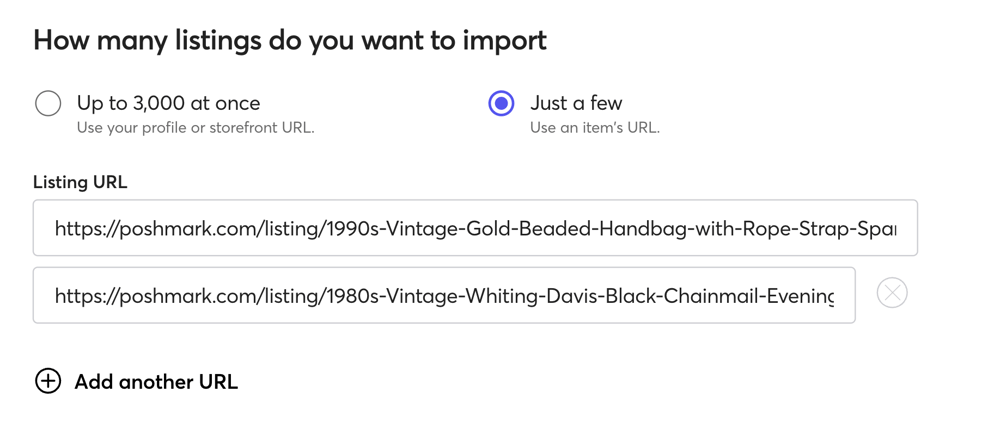
- Select Shipping PreferencesBefore you import, select your shipping settings. First, choose between using Mercari shipping labels or shipping on your own. Then, decide who will cover the shipping cost. You can offer free shipping and pay the cost yourself or have the buyer pay for shipping.💡Tip: Use Mercari standard shipping for additional seller protection.
- Review Your Listings
Allow a few minutes for your items to import.
Once imported, you’ll receive an email, and your imported listings will appear in your drafts. Review each listing, and publish when you’re ready.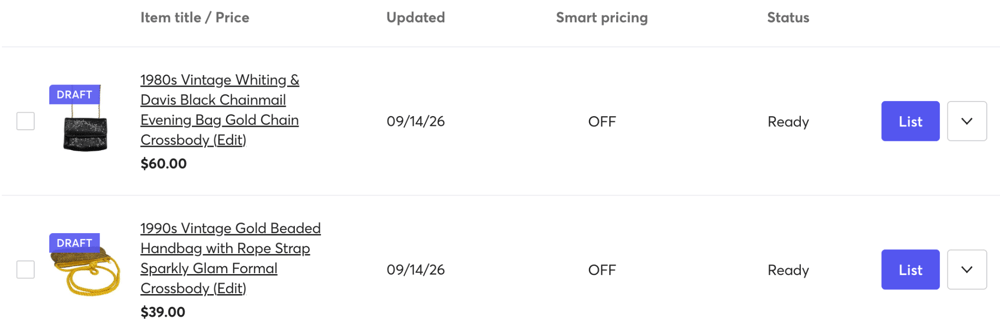
💡Tip: Remember that Mercari will only have the information that appeared on other marketplaces. Preview each listing prior to publishing it to be sure they are complete.
It’s that simple! Once you publish, your listings will be live on Mercari and available for sale. 🙌🏽
The Limitations of Mercari Importing in 2026
Mercari’s free import tool solves one major problem: getting existing inventory onto Mercari faster. But when you start comparing crossposting importing listings vs listing on Vendoo, it becomes clear the tool does not solve the larger inventory-management problems created by crosslisting…
The "Ghost Inventory" Risk
The biggest limitation is that your marketplaces are not actually connected. Imagine that you import a jacket from eBay into Mercari. You now have the same jacket available on two marketplaces. If it sells on eBay, the Mercari listing does not automatically disappear.
That means that, once an item sells, you are responsible for manually removing the sold item everywhere else, which is exactly why knowing how to delist relist on multiple marketplaces with Vendoo matters. Miss one marketplace and you could sell an item you no longer have. Double-selling leads to disappointed buyers, and excessive cancellations lead to account banning. ⚠️
For casual sellers with a small closet, manual inventory management might be manageable. At larger inventory volumes, the risk becomes much harder to control.
Data Mapping Failures
Every resale marketplace structures its listing form differently.
Poshmark vs Mercari is a good example of this: Poshmark does not necessarily organize every category and item-specific field exactly as Mercari does. Your romper might be imported as a jumpsuit. Your size 14 sweater might be imported as a 3X. Mercari might successfully pull most of the information while still requiring additional information before the listing can be published.
Mercari accounts for this by placing incomplete imports into the “Action Required” section of drafts. Mercari also requires sellers to manually publish each listing, encouraging sellers to review them before publication.
💡Tip: Review category, brand, color, condition, shipping details, and other fields before publishing your listings.
Static Data
Native imports are also static. If you import a Depop listing into Mercari and later change the price on Depop, the Mercari listing will not automatically change with it. The same principle applies to any and all edits.
Mercari explicitly confirms that updates made to an original eBay, Poshmark, or Depop listing are not automatically reflected on the imported Mercari listing. Each item must be updated individually.
Importing is therefore best understood as “copying” listing information at a particular point in time, not creating an ongoing connection between two marketplaces.
Crosslist to Mercari and 10+ other marketplaces in seconds with Vendoo!

Mercari Import vs. Automated Crosslisting Software
Mercari’s importer can handle the initial transfer, while dedicated crosslisting software provides additional tools for managing inventory after it has been distributed across multiple marketplaces.
Mercari confirms its native importer is desktop-only and currently limited to eBay, Poshmark, and Depop. Vendoo currently advertises integrations with more than 10 marketplaces and offers an iOS and Android mobile app, although some Vendoo functions remain desktop-dependent.
Importing and Managing Mercari Inventory with Vendoo
For sellers who consistently crosslist, importing is only half of the job. The harder part is keeping hundreds or thousands of listings organized after they are live on multiple marketplaces. That is where Vendoo offers a more complete workflow.
The Centralized Hub Workflow
Instead of treating one marketplace as your master inventory and copying listings individually, Vendoo gives you one central place to manage your listings.
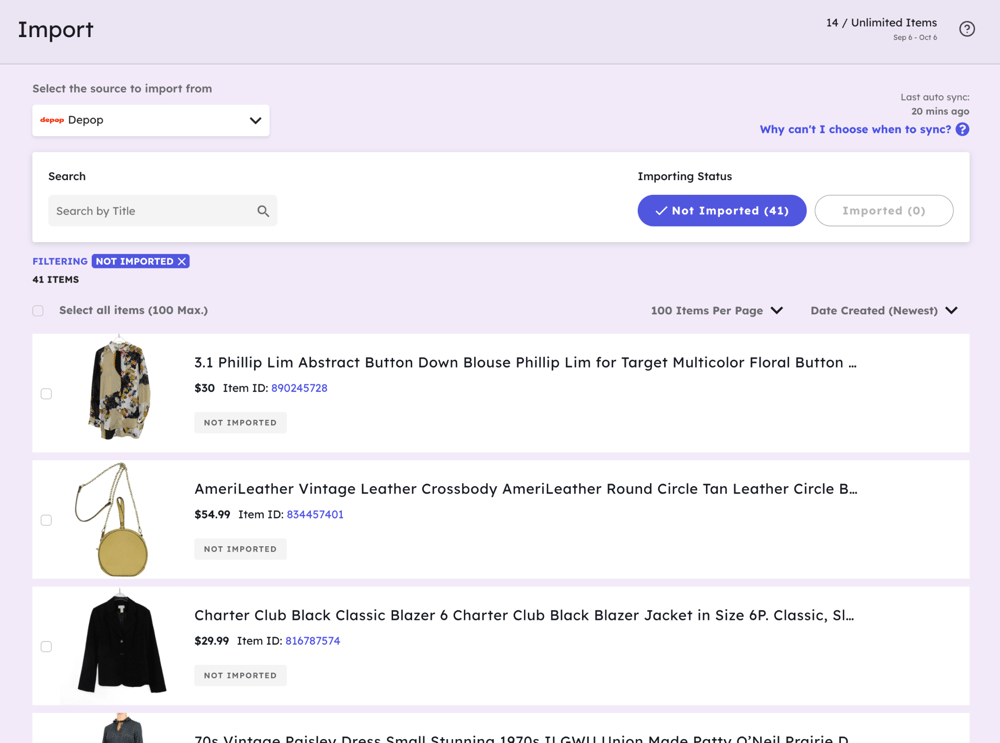
- Import existing inventory: Bulk import your active listings from multiple marketplaces directly into Vendoo.
- Centralized Inventory Dashboard: Vendoo becomes your inventory hub, keeping your unlisted, listed, and sold listings organized in one user-friendly dashboard.
- Crosslist everywhere: Once an item is in Vendoo, you can crosslist it to 10+ marketplaces in bulk.
- Inventory Spreadsheets: Vendoo provides inventory management tools including sales reports, spreadsheets, and analytics to help you work smarter.
Smart Form Mapping
One of the challenges of crosslisting is that every marketplace has different listing fields and requirements. Vendoo helps streamline this process.
- One listing form: Create or import the listing once in Vendoo instead of completing an entirely new form for every marketplace.
- Marketplace-specific fields: Vendoo translates applicable listing information into the fields required by each marketplace, including categories and condition.
- Less repetitive editing: Much of the information is already populated when you crosslist, reducing the amount of manual data entry required for each marketplace. You can also save time with custom listing templates and defaultable listing fields.
Vendoo Sale Detection
Vendoo’s Sale Detection & Auto Delist feature helps solve one of the biggest problems with crosslisting: accidentally selling the same item twice.
- Automatic sale detection: Vendoo scans supported connected marketplaces for sales, including eBay, Poshmark, Mercari, Depop, and Whatnot. Upon sale, Vendoo automatically delists sold items.
- Double-sale protection: This reduces the risk of selling an item on one marketplace after it has already sold somewhere else.
- Regular marketplace scans: “Instant” does not mean the second an item sells. Vendoo scans marketplaces connected marketplaces within ten minutes to find sales and delist sold items from remaining marketplaces.
Is Mercari Importing Worth It?
Mercari’s native import tool is a convenient free option for sellers who want to move existing eBay, Poshmark, or Depop listings onto Mercari without starting over. However, importing is where the automation ends. Listings are not synced after import, and sold inventory must still be managed manually.
For sellers crosslisting larger inventories across multiple marketplaces, software like Vendoo provides a more complete solution with centralized inventory management, marketplace-specific listing forms, and automated sale detection and delisting.
Mercari Import Listings FAQs
How do I import listings to Mercari?
Use Mercari’s Import Listings tool on a desktop browser. You can import existing listings from supported marketplaces, including eBay, Poshmark, and Depop. Mercari creates drafts that you must review and publish before they become active.
Can I import eBay listings to Mercari?
Yes. Mercari supports importing existing eBay listings. The imported listings become Mercari drafts, allowing you to review the transferred information, correct missing fields, confirm shipping details, and publish them.
Can I import Poshmark listings to Mercari?
Yes. Mercari supports Poshmark imports. Because the two marketplaces use different listing fields and categories, review each imported draft carefully for missing information before publishing.
Does Mercari automatically delist sold items?
No. Mercari’s native importer does not sync inventory between marketplaces. If an imported item sells on another marketplace, you are responsible for removing the Mercari listing unless you use separate crosslisting software with automated delisting capabilities.
Is Mercari Import Listing free?
Yes. Mercari’s native listing import feature is free to use. It can save time when initially transferring inventory, but it does not provide ongoing inventory syncing or automatic delisting across marketplaces.