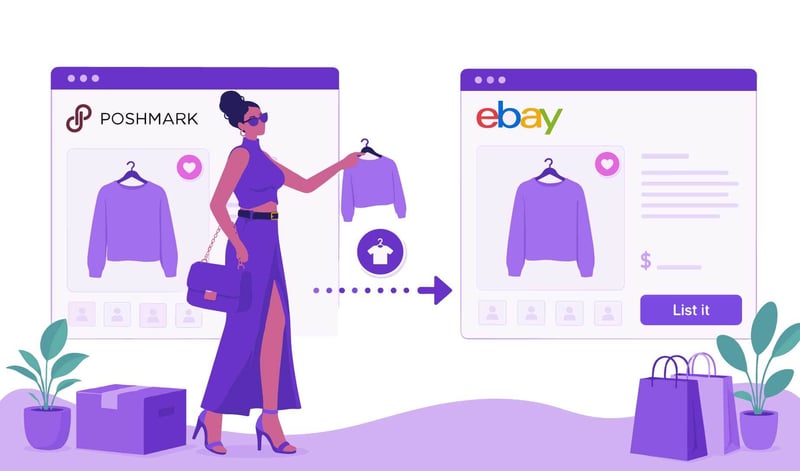
You can crosslist from Poshmark to eBay by either manually republoading your photos and copying and pasting your listing details into a new eBay listing or by using a dedicated crosslisting software, like Vendoo, that imports your Poshmark inventory and publishes it to eBay instantly.
If you're only selling a handful of items, the manual method works okay. But if you have dozens or hundreds of active listings, repeatedly re-uploading photos, copying and pasting titles and descriptions, and entering all the drop-downs quickly becomes ridiculous.
Moving your inventory to eBay is easier than most sellers expect. In this guide, I'll show you exactly how to crosslist from Poshmark to eBay manually, the changes you should make before publishing, and how automation can move your entire closet to eBay in a fraction of the time.
Main Takeaways
- You can crosslist manually for free. Copying listings yourself costs nothing, making it a practical option for casual sellers with a small inventory.
- Manual crosslisting is time-consuming. Most listings take about 5 to 10 minutes each, which quickly becomes unmanageable as inventory grows.
- eBay listings require additional work. Item specifics, SEO-focused titles, and shipping settings must be completed before publishing.
- High-quality photos matter. Always upload your original images instead of screenshots so buyers can use eBay's zoom feature.
- Crosslisting software saves significant time. Automation imports existing listings and prepares them for eBay without repetitive copying and pasting.
- Auto-delisting protects your business. Removing sold listings across marketplaces helps prevent double sales and canceled orders.
Manual Crosslisting: The Free (But Slow) Route
If you're new to resale or only have a handful of active listings, doing your own eBay cross listing from Poshmark is completely possible. It costs nothing besides your time. The basic workflow is straightforward.
Downloading Media (Don’t Screenshot)
Start with the original photos and videos saved on your phone or computer whenever possible.
Avoid taking screenshots of your Poshmark images. Screenshots reduce image quality, crop important details, and often include interface elements that look unprofessional.
This matters even more on eBay because buyers frequently use the zoom feature to inspect stitching, fabric texture, flaws, and tags.
If you no longer have the originals, downloading the uploaded images is still preferable to taking screenshots.
Copying Titles & Descriptions
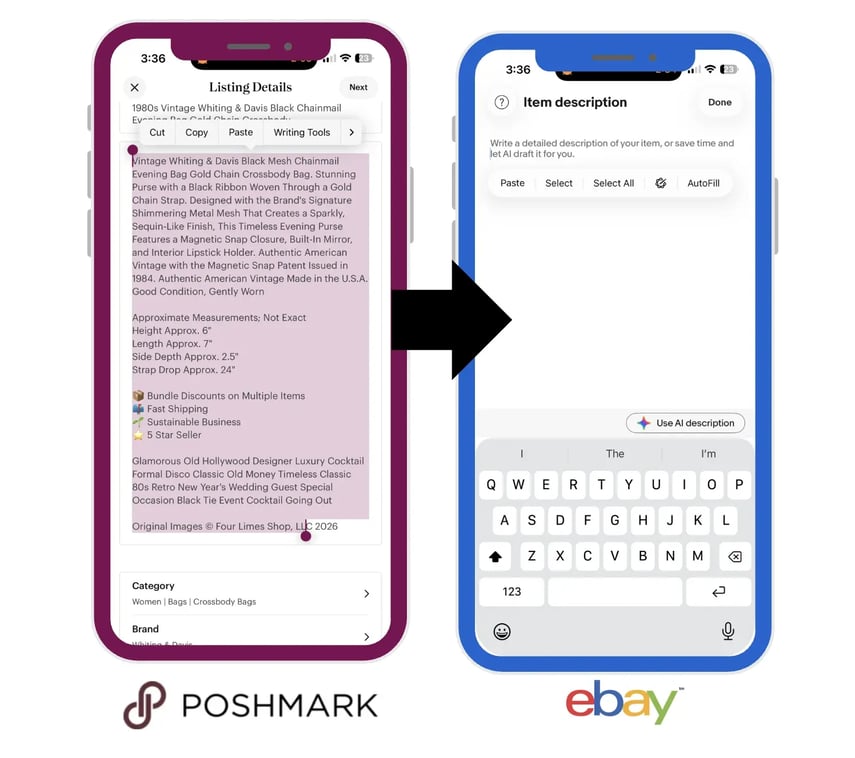
Next, open your Poshmark listing and copy the title and description. Don’t forget to also copy any hidden fields such as notes or SKU.
Create a new listing on eBay and paste this information into the appropriate fields.
eBay requires additional information that Poshmark does not. You'll need to review your title, complete item specifics, choose shipping options, and verify category placement before your listing is ready.
💡 Tip: On Poshmark, your title and description are “searchable,” meaning the words contained therein help your items to yield in search results. On eBay, however, only the title and item specific fields are “searchable.” Take the time to enter all relevant fields.
The Time Cost
For most clothing listings, manually crosslisting takes approximately 5 to 10 minutes per item. eBay requires a lot of information and item specifics, which can make each listing feel like it takes forever.
When you really think about it, that means that 20 listings can take several hours. 100 listings might suck up an entire weekend, and 500+ listings could take months.
Time is money. For anyone running a serious resale business, manual data entry eventually becomes the bottleneck that limits growth.
Import from Poshmark and crosslist to eBay in seconds with Vendoo

Poshmark vs. eBay: Key Listing Differences to Fix
One of the biggest mistakes new sellers make is assuming they can simply copy and paste every field. There’s a little more than that to selling on eBay
Before publishing on eBay, make these adjustments.
- Strong Titles: To maximize SEO (search engine optimization). Include important keywords such as brand, item type, size, color, condition, material, style name, or model number whenever space allows. Better titles improve visibility in eBay search results.
- Item Specifics: eBay relies heavily on Item Specifics for search placement and filtering. Depending on the category, you may need to complete fields like sleeve length, neckline, inseam, pattern, department, fabric type, vintage status, season, closure, and more. These fields are not optional if you want maximum exposure.
- Shipping Models: This is where many new sellers make mistakes. Poshmark uses one prepaid shipping label that the buyer purchases at checkout. eBay requires you to configure shipping yourself. You can choose calculated shipping based on package weight and dimensions, create flat-rate shipping policies, or offer free shipping by building shipping costs into your price. Incorrect shipping settings can reduce profits or discourage buyers.
- Pricing: There is a lot more competition on eBay, so it’s that much more important to price your items in consideration of market value. Use the eBay Product Research tool for competitive pricing.
Taking a few extra minutes to optimize these areas usually produces better search visibility than simply duplicating your Poshmark listing.
Learn everything you need to know about eBay in the article eBay Selling Tips: How to Sell on eBay.
Crosslisting Tool Comparison: Free vs. Paid Automation
Once you've crosslisted a few items manually, the biggest question becomes whether the time savings justify paying for automation. The answer depends largely on how many active listings you manage and how often you list new inventory.
Manual crosslisting is an excellent starting point because it allows sellers to expand onto eBay without spending money.
However, once your inventory reaches dozens or hundreds of active listings, automation becomes less of a luxury and more of a business tool.
Automating the Process for Maximum Output
Most experienced resellers eventually reach the point where listing speed matters more than avoiding a monthly subscription.
Instead of rebuilding every listing by hand, software like Vendoo automates nearly every repetitive task involved in crosslisting.
Bulk Importing
Rather than opening listings one at a time, sellers can connect their Poshmark closet to Vendoo and import active inventory in bulk.
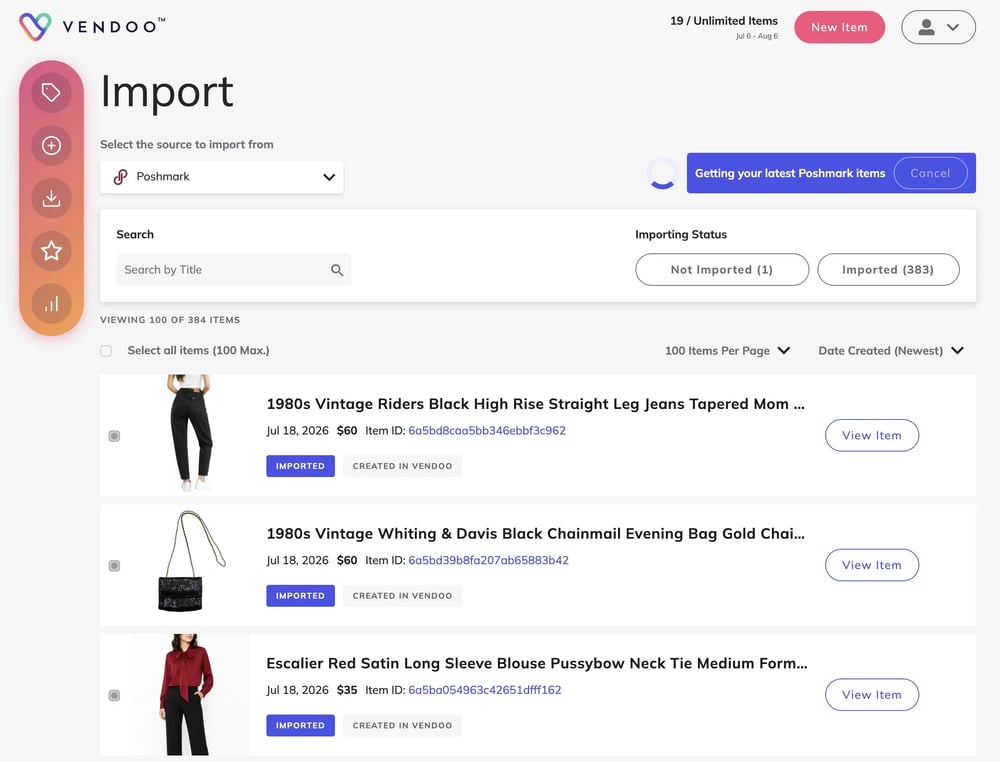
For example, importing 5,000 active Poshmark listings takes just a few clicks.
Once imported, those listings are ready to publish to eBay without recreating every description, title, photo, and measurement manually. You only have to enter eBay item specific fields and shipping.That alone can save hours during your first migration.
Form Mapping
One of Vendoo's biggest advantages is its unified listing form. Instead of creating separate listings for every single marketplace, sellers maintain one “master listing,” in the Vendoo form.
When sending that listing to eBay, Vendoo maps available Poshmark information into eBay's listing fields automatically.
That means details like:
- Photos
- Videos
- Brand
- Title
- Description
- Color
- Category
- Size
- Size Type
- Condition
- Weight
- SKU/ Inventory Number
are transferred automatically.
The seller only needs to complete information that doesn't already exist, such as shipping weight or a few marketplace-specific fields. This dramatically reduces repetitive typing while still allowing listings to be optimized for each marketplace.
Preventing Double Sales
The most valuable automation feature is auto-delisting.
Imagine you've crosslisted a jacket on both Poshmark and eBay. If that jacket sells on eBay first, Vendoo's Sale Detection automatically removes the live Poshmark listing to avoid double-selling.
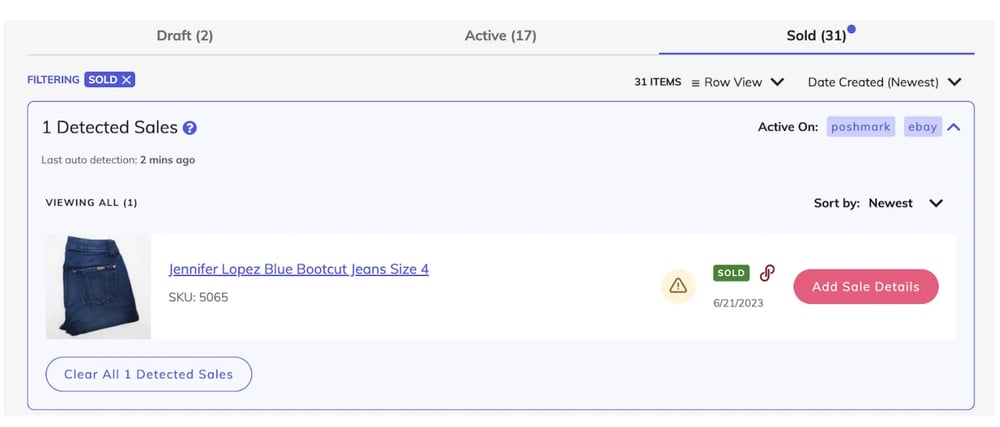
💡 Tip: Both eBay and Poshmark penalize sellers for excessive cancellations, so Sale Detection and Automatic Delisting is a game-changer!
Without auto-delisting, the item could sell twice before you notice. Double-selling creates canceled orders, disappointed buyers, negative feedback, and possible account penalties.
Crosslist from Poshmark to eBay with Vendoo
Learning how to crosslist from Poshmark to eBay is one of the smartest ways to increase exposure and sell inventory faster. Manual crosslisting works well when you're getting started, but it quickly becomes a time-consuming process as your business grows.
Modern resellers rely on crosslisting software to save time, reduce repetitive work, and protect inventory with automatic delisting.
If you're ready to move your entire closet to eBay quickly, safely, and efficiently, skip the copy and paste workflow, Try Vendoo!
Crosslisting from Poshmark to eBay FAQs
Can I crosslist from Poshmark to eBay for free?
Yes. You can manually copy your photos, titles, descriptions, and pricing into a new eBay listing without paying for software. This takes substantial time, though.
Do I need to change my Poshmark listing before posting it on eBay?
Usually, yes. eBay requires Item Specifics and different shipping settings. You will need to add this information that eBay requires that Poshmark does not.
How long does it take to manually crosslist one item?
Most sellers spend about 5-10 minutes per listing, depending on the category. Sellers who use crosslisting tools like Vendoo can do so in under one minute.
What happens if an item sells on both marketplaces?
Without inventory management software, you must manually an item from other marketplaces once sold. Otherwise, you risk double-selling and cancellations. Crosslisting software like Vendoo automatically removes sold listings, helping prevent double sales and canceled orders.